Chat Assistant
Meet Chat.
Chat gives your website and Facebook Messenger a business-trained assistant that can answer customer questions using your approved knowledge. It can explain your services, offers, pricing and process, collect lead details, arrange callback requests, and support bookings using custom fields and calendar availability.
Become a Founding Member
Business benefits
- Answer customer questions with your own business knowledge
- Add a website chat widget without building one yourself
- Respond to Facebook Messenger enquiries faster
- Capture leads, callbacks, and booking requests from conversations
Example use cases
- Train the chatbot on your services, offers, FAQs, and business details
- Embed a chat widget on your website
- Reply to Facebook Messenger enquiries with approved business knowledge
- Collect custom booking fields and arrange callbacks or calendar bookings
See Chat in action
Set up, personalise, and monitor every customer conversation.
Choose what your assistant should handle, match the chat experience to your brand, and review clear insights across customer conversations.
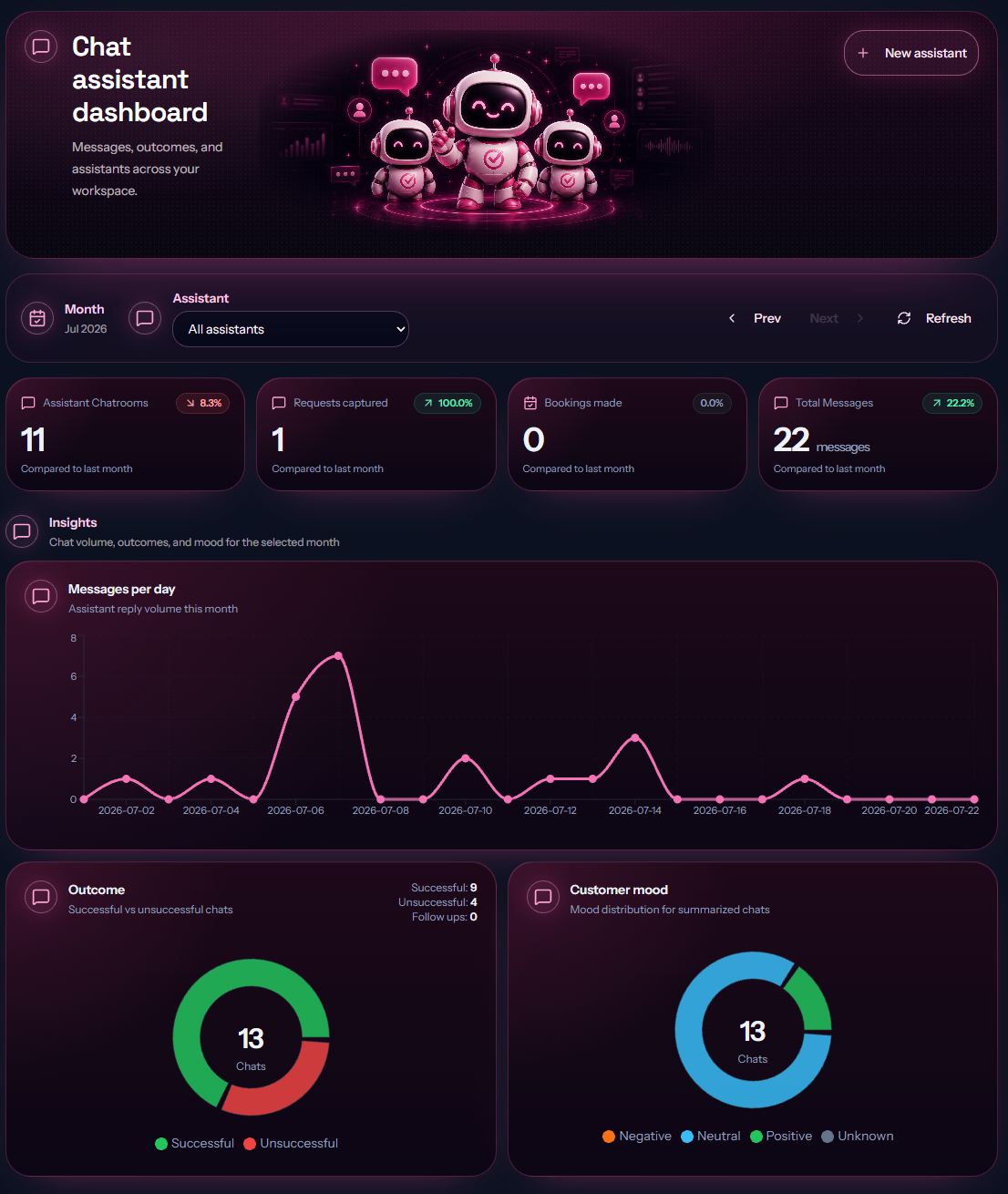
See chat performance at a glance
Review chat volume, captured requests, bookings, outcomes, and customer mood across your connected assistants.
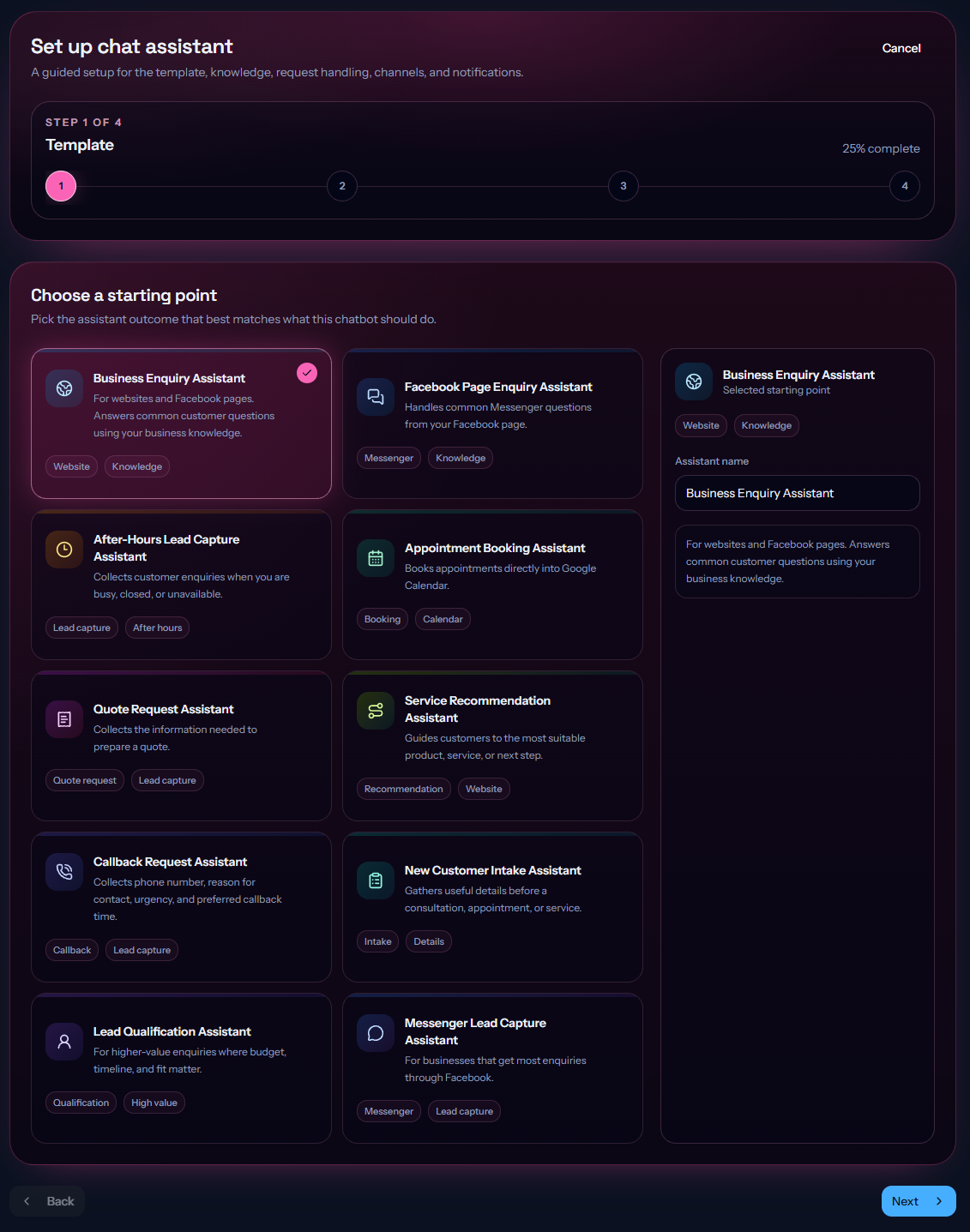
Choose the right starting point
Use guided templates for business enquiries, Messenger questions, lead capture, bookings, quotes, callbacks, and recommendations.
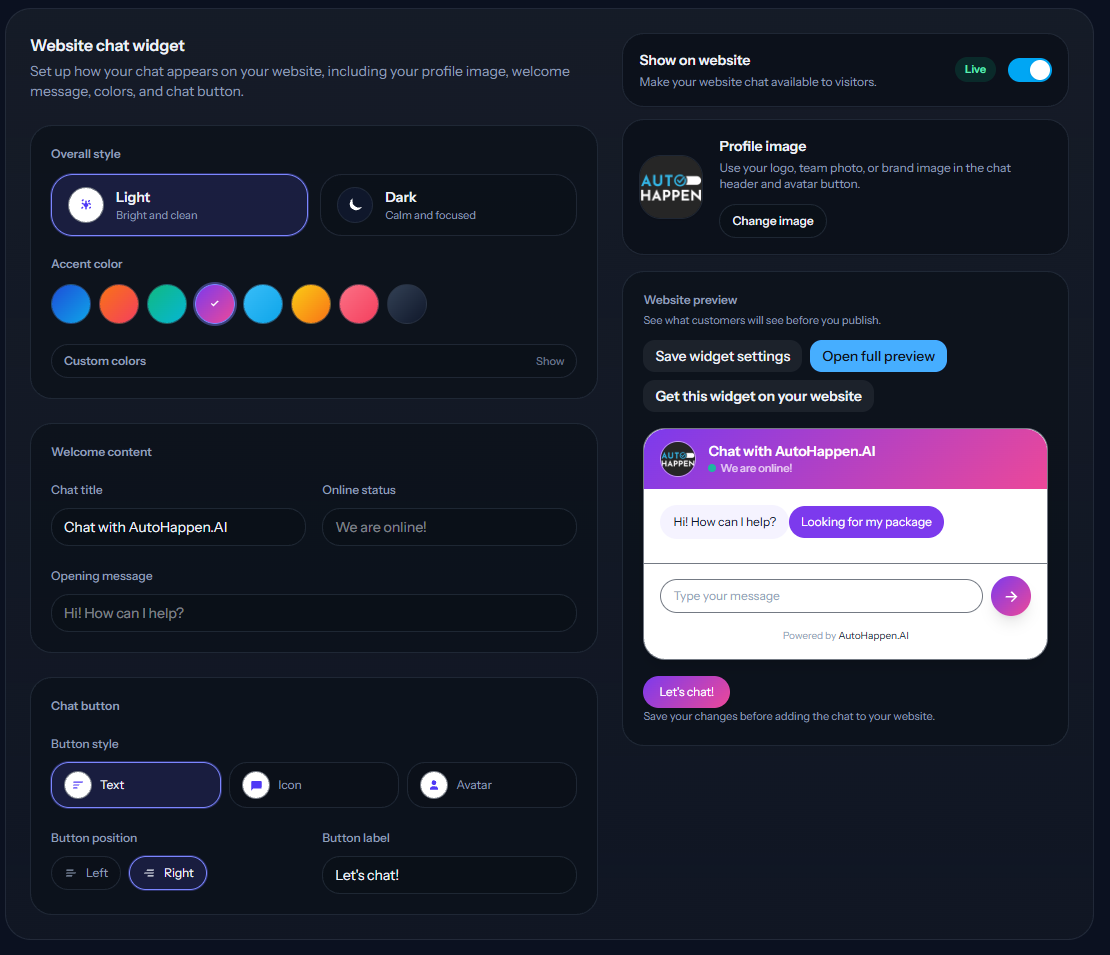
Match website chat to your brand
Choose the colours, profile image, welcome message, and button style while previewing the customer experience before publishing.
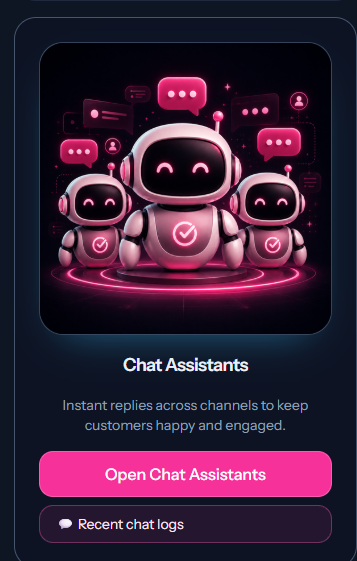
Open your chat workspace
Jump into your chat assistants or review recent customer conversations from one place.
Relevant integrations
Works with the tools connected to this role.
These integrations are kept simple and practical. They support the everyday jobs Chat is designed to help with.
 Messenger
 Google Calendar
 Microsoft 365
Meet the rest of the AI team
One connected team, with a specialist for every job.
Want Chat working in your business?
Tell us about your goals and we'll help you choose the right approach, with hands-on onboarding to get your AI team working for your business.